
LinkedIn has turned its old QR code into a proper digital business card. It lives in the LinkedIn app, it can go in your Apple or Google Wallet, and one scan swaps cards with the person in front of you.
If you only want people at an event to find your LinkedIn profile, it does that job well, and it comes built into the app you already have. If you need to hand over a phone number, keep a company’s cards on brand, or know where the contacts end up, there are gaps worth knowing about before you rely on it.
We set one up, pulled apart the Wallet pass, and wrote down what we found.
What is the LinkedIn Business Card?
LinkedIn announced the Business Card on 17 November 2026 as a feature for all members. It replaces the QR code that used to sit in a small icon next to the search bar.
The card is built from your LinkedIn profile. You can make it from the mobile app only, and for now it’s in English. LinkedIn lists the minimum app versions as iOS 9.1.588 and Android 4.1.1271.
What can go on the front of the card:
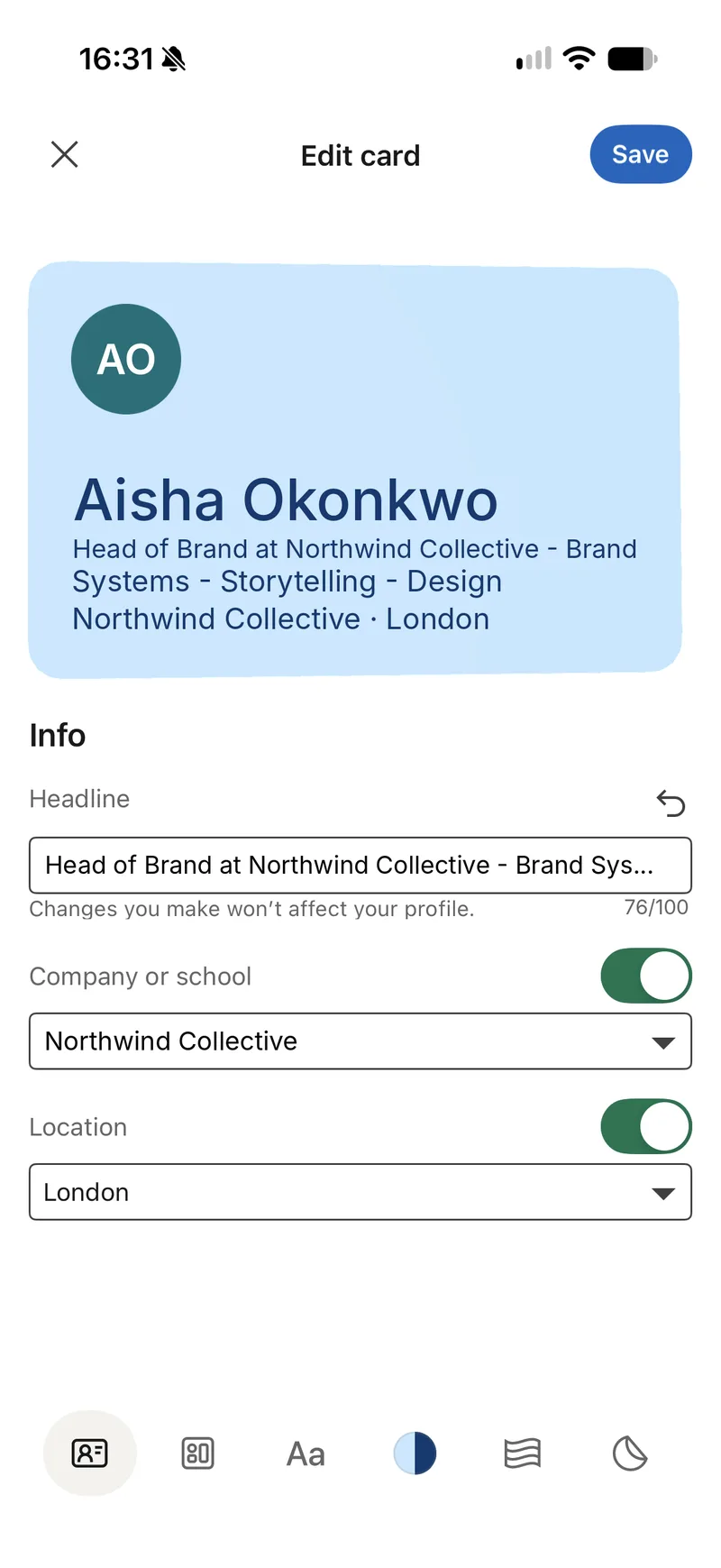
- your profile photo
- your name
- a headline (up to 100 characters, and you can change it for the card without changing your profile)
- your company or school, which you can switch off
- your location, which you can switch off
There’s no field for a phone number, an email address or a website. The card is a way into your LinkedIn profile, not a contact card.
How to set up your LinkedIn Business Card
- Update the LinkedIn app, then tap your profile photo and the QR code at the top of your profile.
- Tap the pencil to edit the card.
- Work through the six tabs along the bottom: Info, Layout, Font, Colour, Pattern and Stickers.
- Tap Save, then Add to Apple Wallet or Google Wallet.
- To see cards you’ve collected, go to My Network, then Manage My Network, then Business Cards.
There’s also a share setting called Auto-swap. With it on, one scan sends both people each other’s card.
The design options
LinkedIn has clearly spent time on how the card looks. You get:
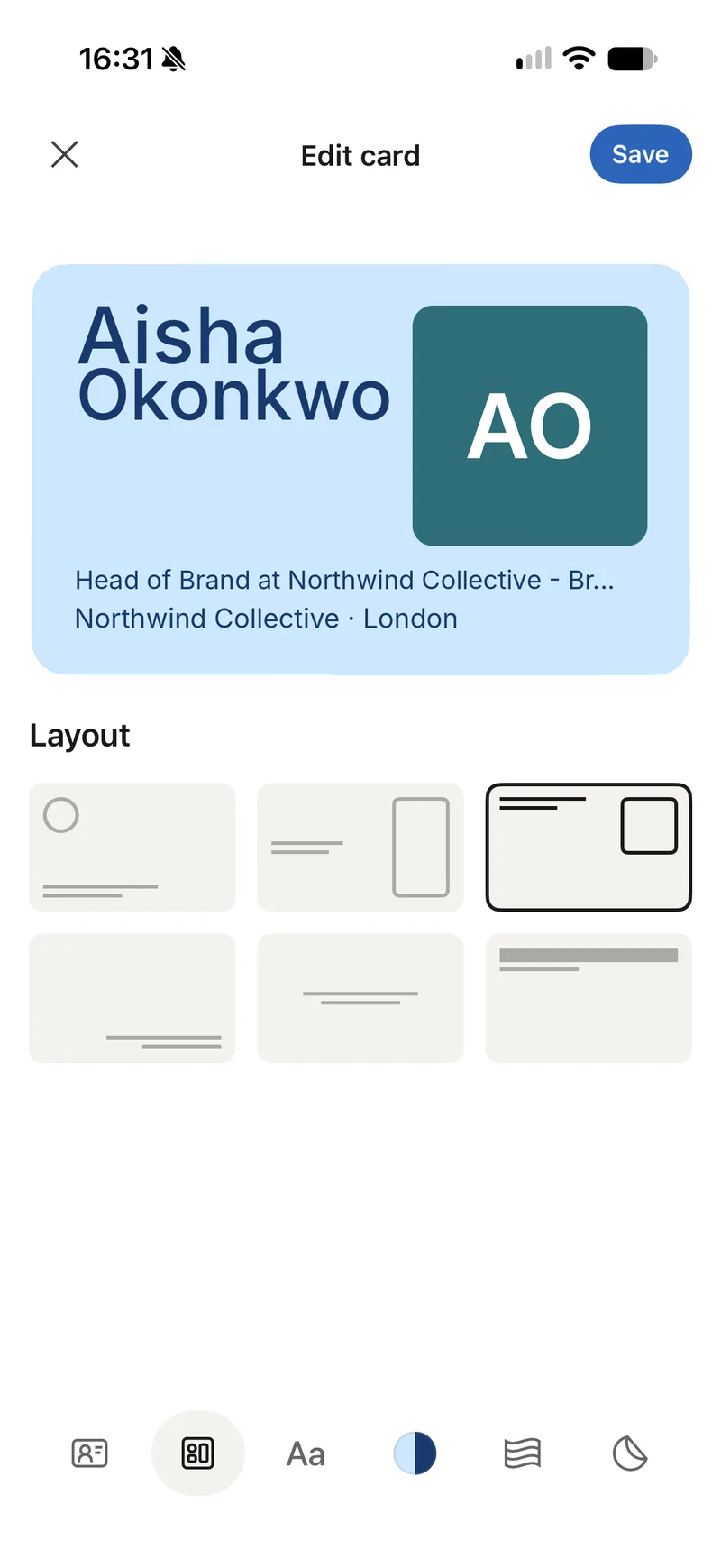
- 6 layouts, including photo on the left, a square photo on the right, and right-aligned text
- 6 type styles called Clean, Strong, Classic, Striking, Precise and Grand
- 20 single colours and 12 two-tone colour sets
- 11 background patterns, or none
- photo cut-outs and hand-drawn doodles, which go on the back of the card
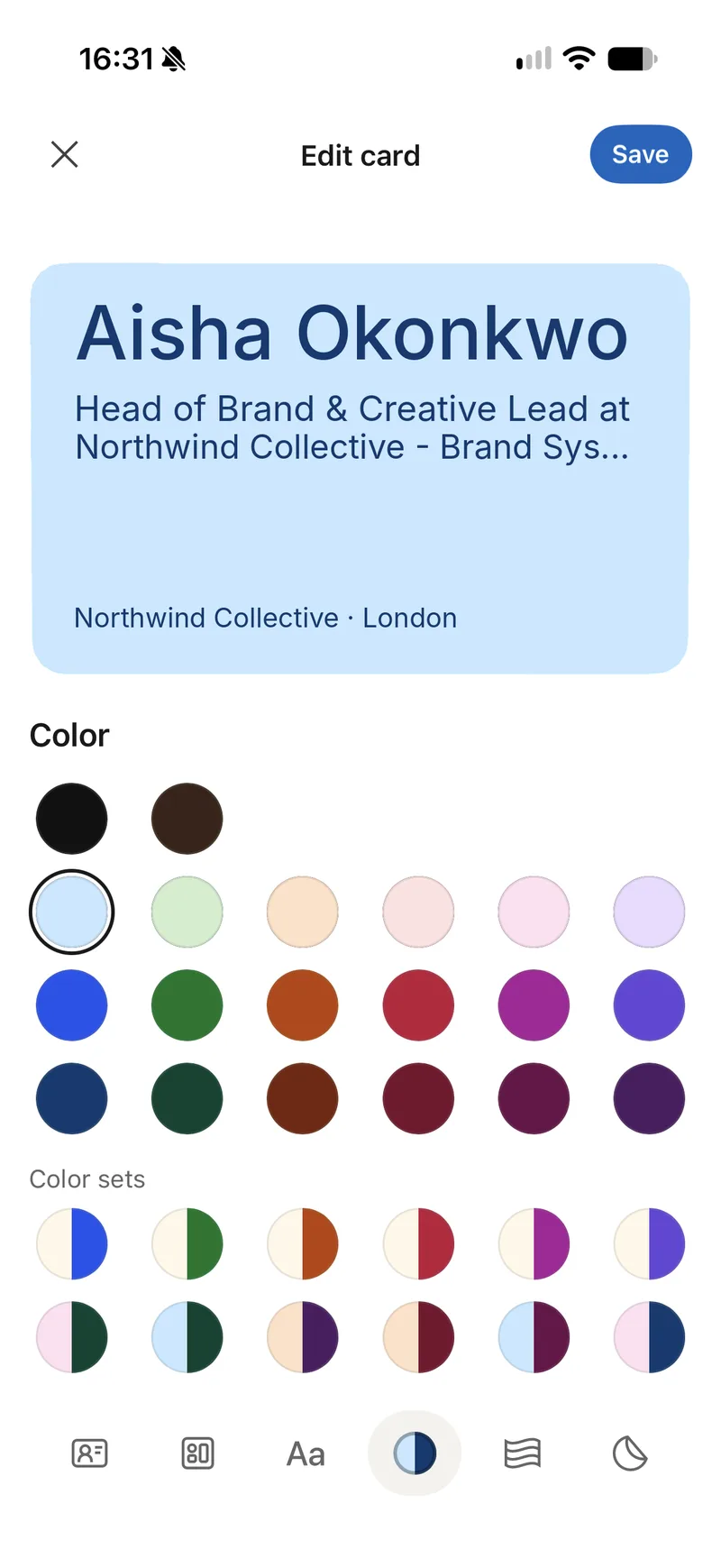
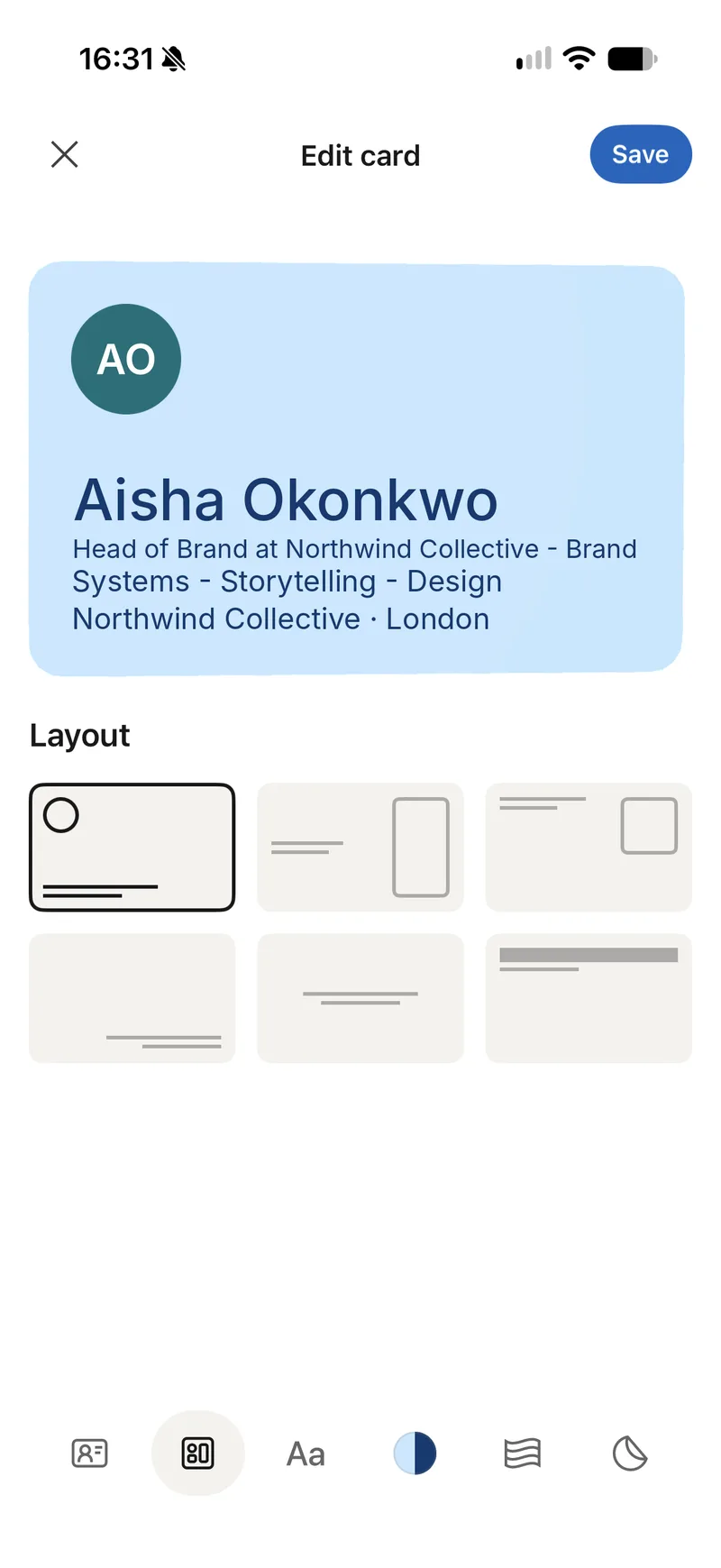
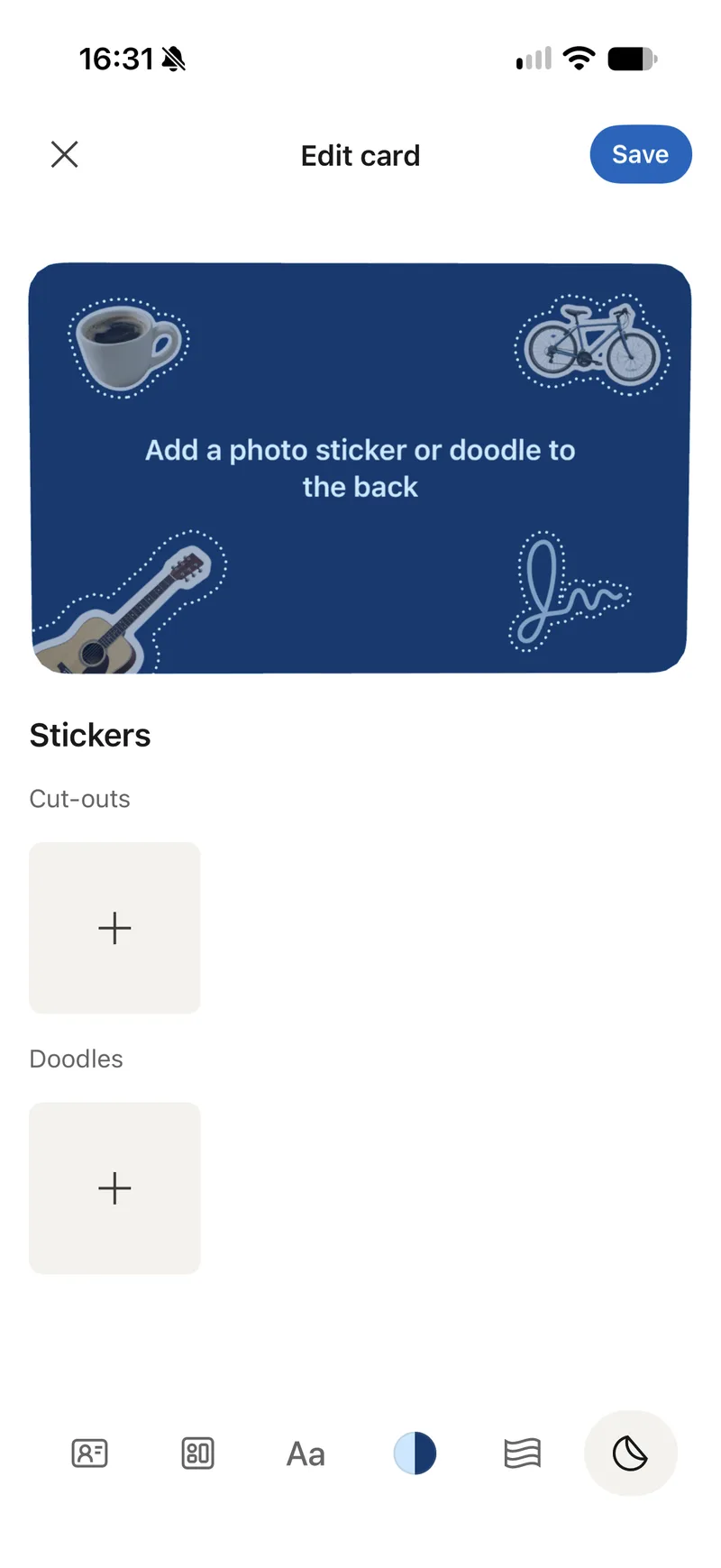
One thing we noticed: on several layouts a long headline is cut off with “…”. If your headline lists a few roles or companies, write a shorter one just for the card.
How the Wallet card works
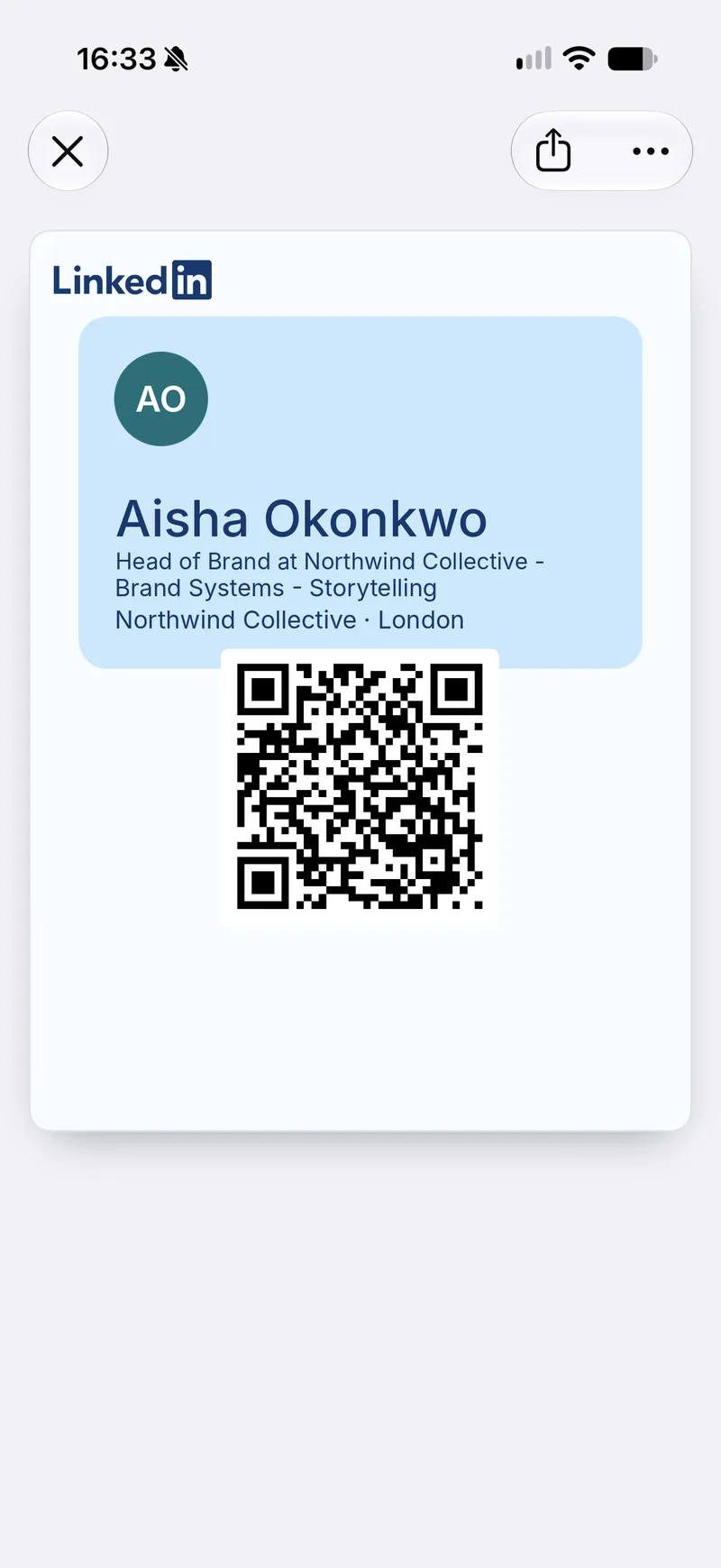
The Wallet version is well made. We exported the pass to see how it’s built. LinkedIn renders your whole card design as a single image and places it on Apple’s newest pass style, Poster Generic, which arrived with iOS 27. Older iPhones get a simpler fallback version of the same design.
Below the design sits a QR code that opens a LinkedIn link. The LinkedIn logo is at the top of the pass, and there’s no option to add your company’s logo.
LinkedIn Business Card: pros and cons
| What we found | |
|---|---|
| Price | LinkedIn hasn’t published a price. It’s part of the standard app. |
| Set-up | A few minutes on your phone. Mobile only. |
| Design | Good-looking and personal: layouts, type, colour, patterns, stickers. |
| Wallet | Apple and Google Wallet. Uses Apple’s newest pass style on iOS 27. |
| Swapping | One scan can swap cards between two LinkedIn members. |
| Contact details | No phone, email or website fields. |
| Where contacts go | Into your collection inside LinkedIn. LinkedIn Help doesn’t mention saving them to your phone’s contacts. |
| Branding | LinkedIn’s logo on the pass, no company logo, and every person designs their own card. |
| Teams | We found no admin controls, shared templates or company account. |
| NFC tap | Not mentioned. Sharing is by QR code. |
| CRM | Not mentioned. |
Where it works well
For someone job hunting, freelancing or going to a meet-up, the LinkedIn Business Card is a sensible default. It’s already on your phone, LinkedIn hasn’t asked anyone to pay for it, and the person you meet is probably on LinkedIn too. Because the card is built from your profile, it never goes out of date when you change jobs.
Where it falls short
The gaps show up when a business, rather than a person, is doing the networking.
The card carries LinkedIn’s branding rather than your company’s. Every employee picks their own colours, fonts and stickers. Two people from the same firm at the same trade show will hand over two different-looking cards, both carrying LinkedIn’s logo.
The only thing you hand over is a profile. A prospect who wants to call you or check your website has to open LinkedIn first. Someone who isn’t a LinkedIn member gets less from the scan.
Contacts belong to the individual. Cards you collect sit in your personal LinkedIn account. When someone leaves the company, those relationships go with them, and nothing flows into the company CRM.
We couldn’t find any central management either. There’s no admin to set a template, update a job title across a team, or switch off a card when someone leaves.
LinkedIn built a personal networking tool, and for that it works well. These gaps only matter once a company is paying for cards and wants the contacts back.
Buying cards for a team? Profyle gives every employee a branded digital business card that shares their full contact details and sends the contacts they collect to your CRM. Try it free for 45 days, no credit card needed.
When your team needs more than a LinkedIn card
If you’re buying business cards for a team, the questions change:
- Does every card look like our brand?
- Can people tap a card as well as scan it?
- Does the card share a phone number, email, website and booking link, not just a profile?
- Do the contacts we collect land in our CRM?
- Can we update or switch off a card when someone changes role or leaves?
That’s the gap a team digital business card fills.
How Profyle fits
Profyle is a digital business card platform built for companies rather than individuals. More than 10,000 professionals have switched to it since 2020, at companies including Ralph Lauren, Foxtons, Menzies Aviation, Savills and LRQA.
LinkedIn Business Card vs Profyle
| LinkedIn Business Card | Profyle | |
|---|---|---|
| Built for | Individual LinkedIn members | Companies and their teams |
| Branding | LinkedIn’s logo; each person designs their own card | Your company’s logo, colours and layout on every card |
| Details shared | Photo, name, headline, company, location | Phone, email, website, social profiles, booking link and more |
| Save to phone contacts | Not mentioned by LinkedIn | One tap: “Download my contact details” |
| Two-way exchange | Between LinkedIn members | “Send me your details” works for anyone, no app or LinkedIn account needed |
| How you share | QR code | NFC tap, QR code or link |
| Wallet | Apple and Google Wallet | Apple and Google Wallet |
| Admin control | None found | Admin Portal: people, groups, layouts, audit log |
| When someone leaves | Their contacts leave with them | Switch off their card straight away; contacts stay with the company |
| CRM | Not mentioned | Salesforce, HubSpot, Pipedrive, Dynamics 365, Zoho CRM |
| Paper cards | Not mentioned | Scan one and AI pulls out the details |
| Price | No price published | £7.95 per user per year; NFC cards from £14.95 |
One card design for the whole company
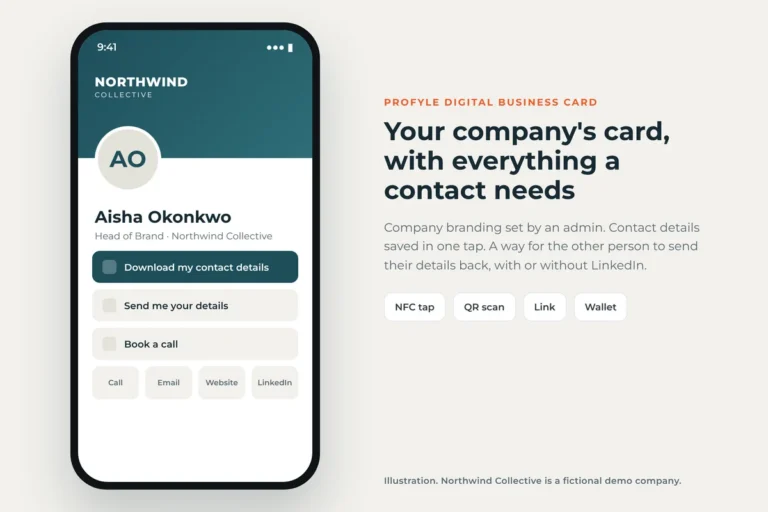
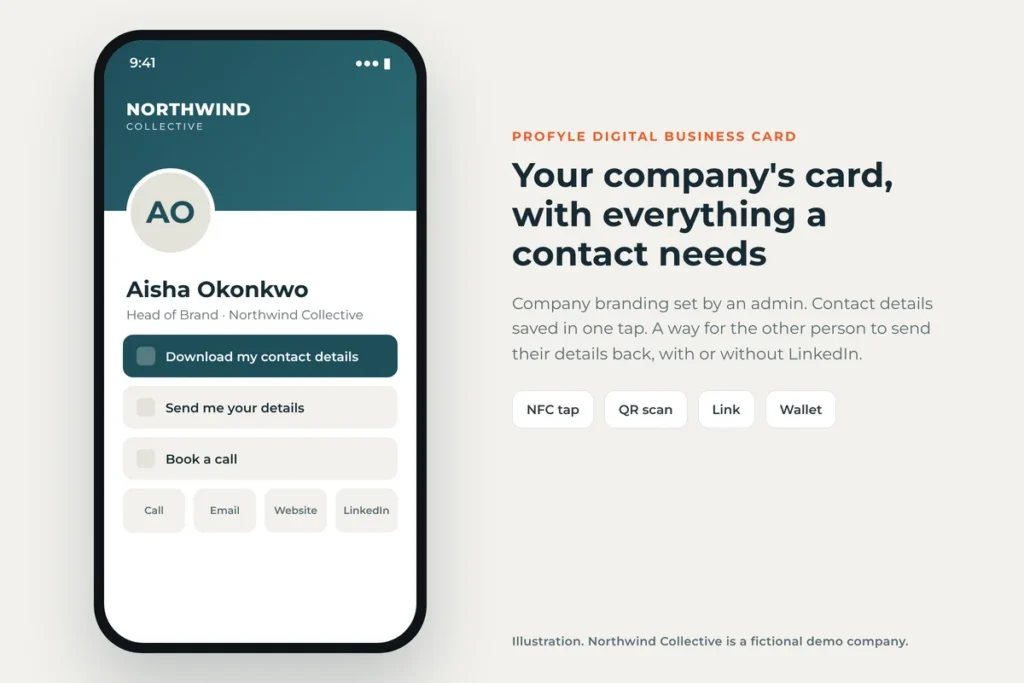
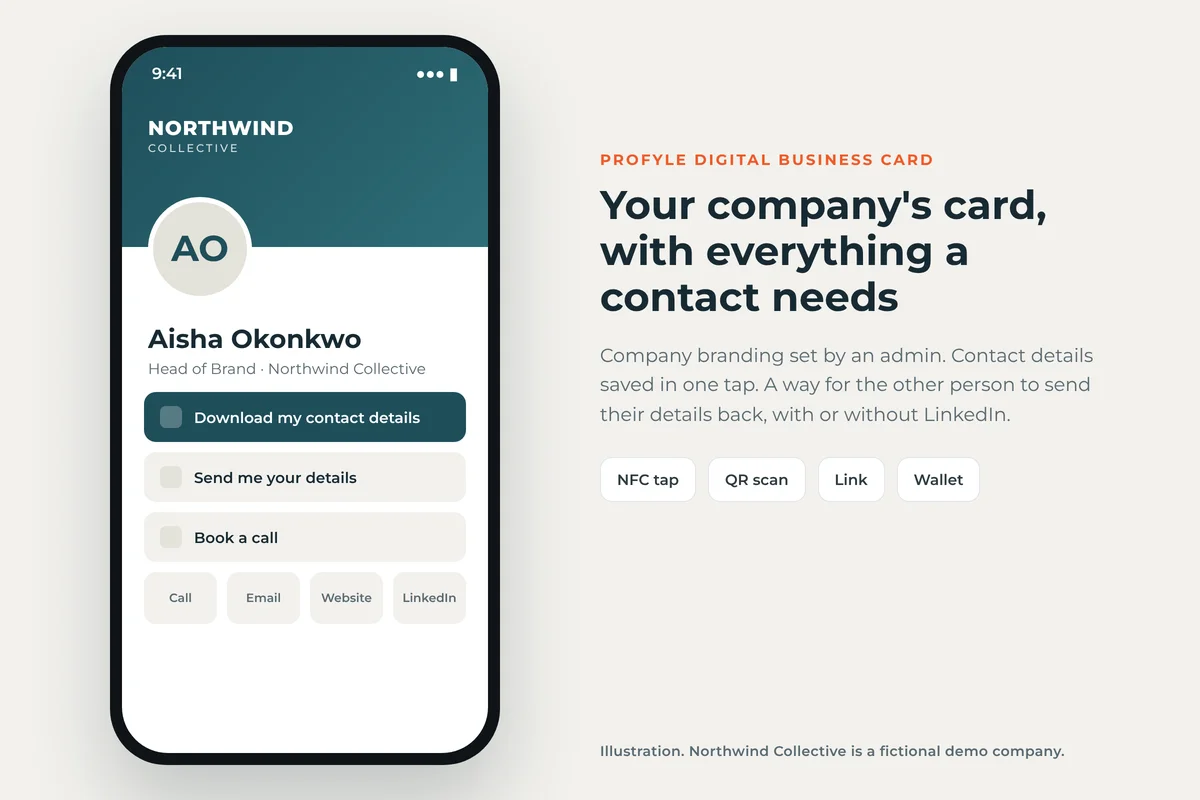
An admin sets the company’s colours, logo and layout once, and every employee’s card follows it. The person you meet gets the buttons they actually need: save your details to their phone, send you theirs, or book a call.
Managed from one place
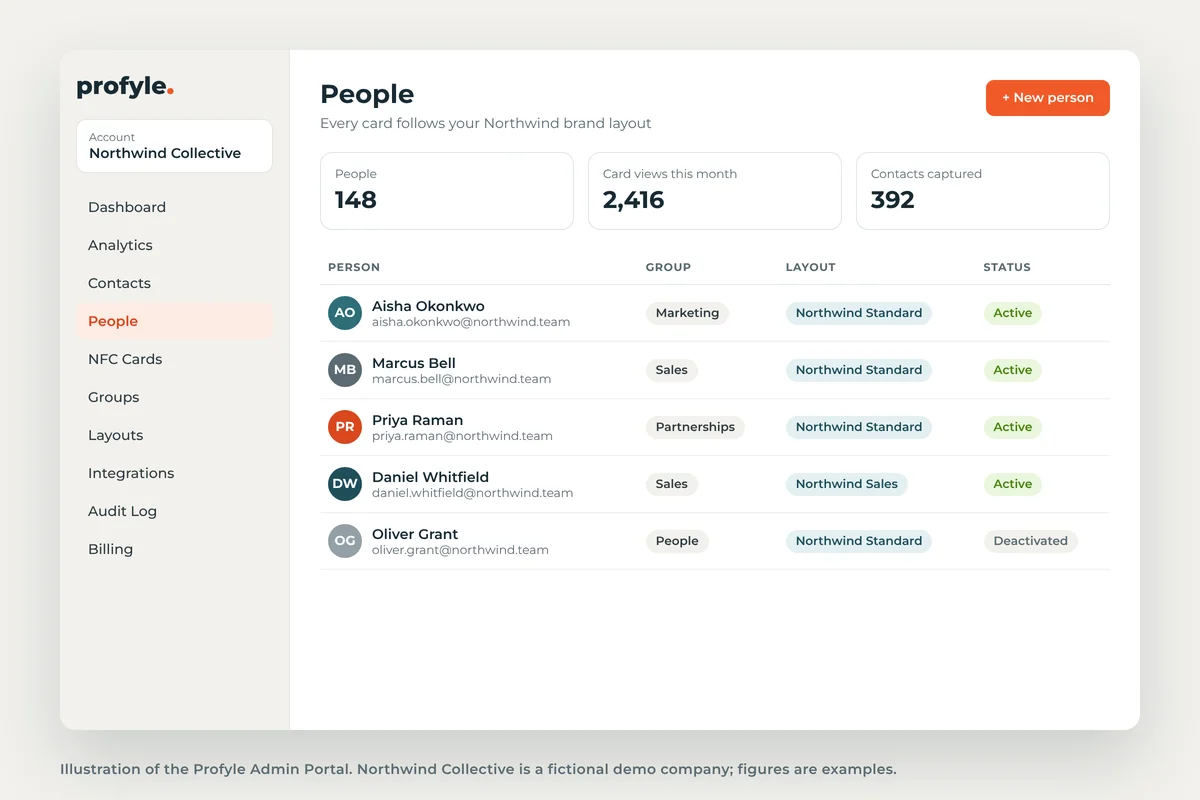
The Admin Portal holds everyone’s cards. You can add new starters, move people between teams, apply a layout to a whole group, and see how often cards are viewed. When someone leaves, you switch their card off and keep the contacts they made.
Contacts that end up in your CRM
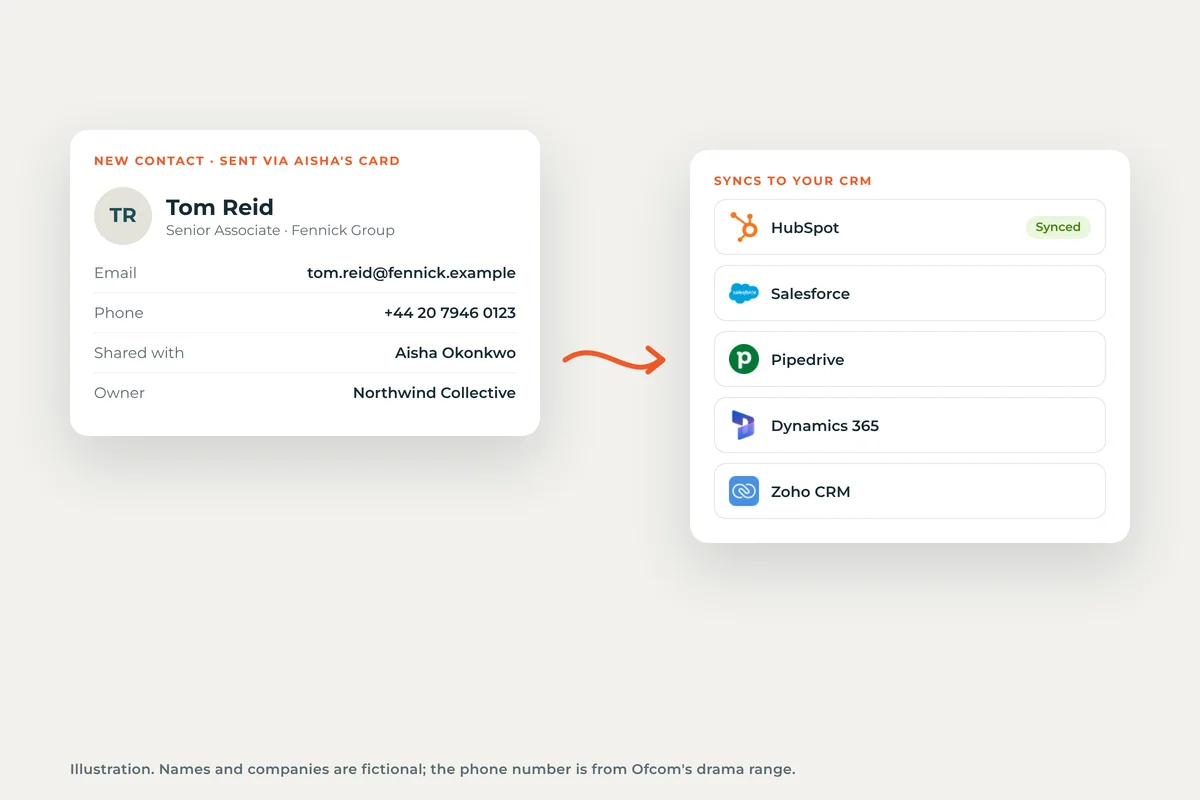
When someone sends their details back through a Profyle card, they arrive as a contact owned by the company and can sync to Salesforce, HubSpot, Pipedrive, Microsoft Dynamics 365 or Zoho CRM. Nobody has to type up a pile of cards after an event.
“We’ve rolled Profyle out in place of traditional cards across our European business with ease.”
Joe Balfe, Ralph Lauren
Pricing is one plan at £7.95 per user per year, with NFC cards from £14.95 each. You can try it free for 45 days, and you don’t need a credit card.
Your LinkedIn profile still matters, and a Profyle card can link straight to it. Plenty of teams will end up using both: LinkedIn’s card for personal connections, and Profyle for the company’s contacts, branding and CRM.
Start your 45-day free trial or see how Profyle compares with LinkedIn.
Frequently asked questions
Is the LinkedIn Business Card free?
LinkedIn hasn’t published a price for it. It’s part of the standard LinkedIn mobile app.
Can I add my phone number or email to a LinkedIn Business Card?
No. The card shows your photo, name, headline, and optionally your company or school and location. Contact details stay on your LinkedIn profile.
Does the LinkedIn Business Card use NFC?
LinkedIn hasn’t mentioned NFC. You share the card by showing its QR code, from the app, your lock screen or your Wallet.
Is the LinkedIn Business Card the same as the LinkedIn QR code?
It replaces it. The QR code is now part of the Business Card, which adds a design and a Wallet pass. Our guide to finding and sharing your LinkedIn QR code covers the code itself.
Can a company manage LinkedIn Business Cards for its staff?
We couldn’t find any team or admin features. Each member creates and designs their own card.
Where do the cards I collect go?
Into the Business Cards section of My Network in the LinkedIn app. LinkedIn Help doesn’t say they can be saved to your phone’s contacts.
Screenshots and illustrations use Profyle’s fictional demo company, Northwind Collective. Names, avatars, figures and QR codes are placeholders. Feature details are correct as of 20 November 2026 and may change as LinkedIn rolls the card out.