



Standing in a busy hotel lobby after a long trade show day without any results or leads, a young freelancer tapped his smart business card against a visitor’s phone. Her screen opened straight to his LinkedIn profile. She saved his details with one press and connected before they even finished their chat.
I was that freelancer and because of that experience I believe smart business cards can help you too.

For example, did you know, users of digital business cards are about 700 percent more likely to share their contact details than those who rely on paper business cards? This tells you something simple: the card that wins is the one that people act on in the moment.
A business card sits in someone’s hand for half a minute. What happens after matters far more. Will they save you? Will they reach out? Will they remember what you do?
Smart business cards help you guide that next step. You create a share and follow-up loop that keeps your details clear rather than fading into a forgotten pile.
A clear step by step flow for design, sharing and tracking.
How smart business cards work with NFC, QR codes and links.
Hidden cost traps and how to avoid them.
Why Profyle works so well for this purpose.
A smart business card is a digital business card that opens a profile on a phone with one quick tap or scan. Most smart business cards use NFC chips, QR codes or simple share links. The goal is to help someone save your details at the very moment they meet you. This is the heart of all smart business cards. They remove steps that stop people from reaching out later.
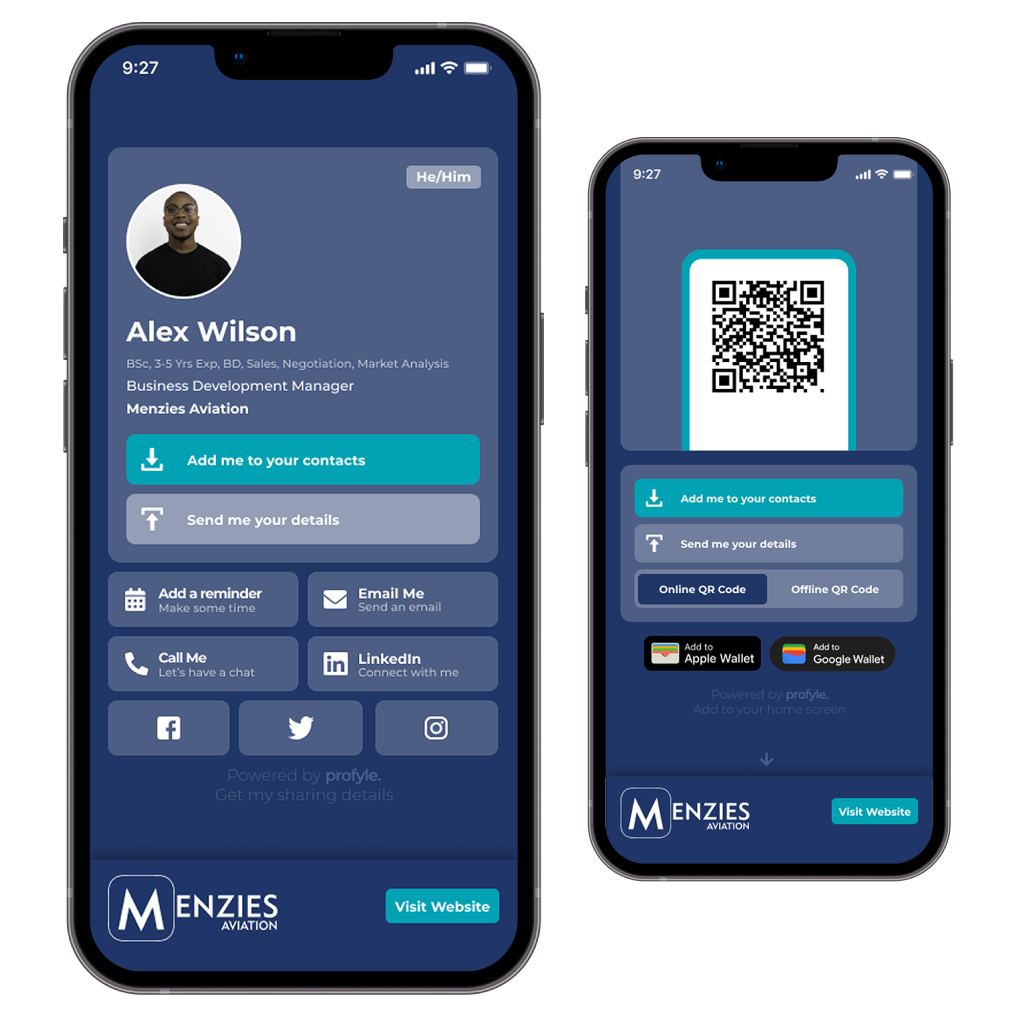
Smart business cards work because they guide a person straight to action. A good one gives
a clear name and role
a photo that helps people remember your face
one main button that tells people what to do, for example save contact or book a call
useful links like LinkedIn, website or portfolio
quick ways to message you
People act when the path is short. Smart business cards do this well.
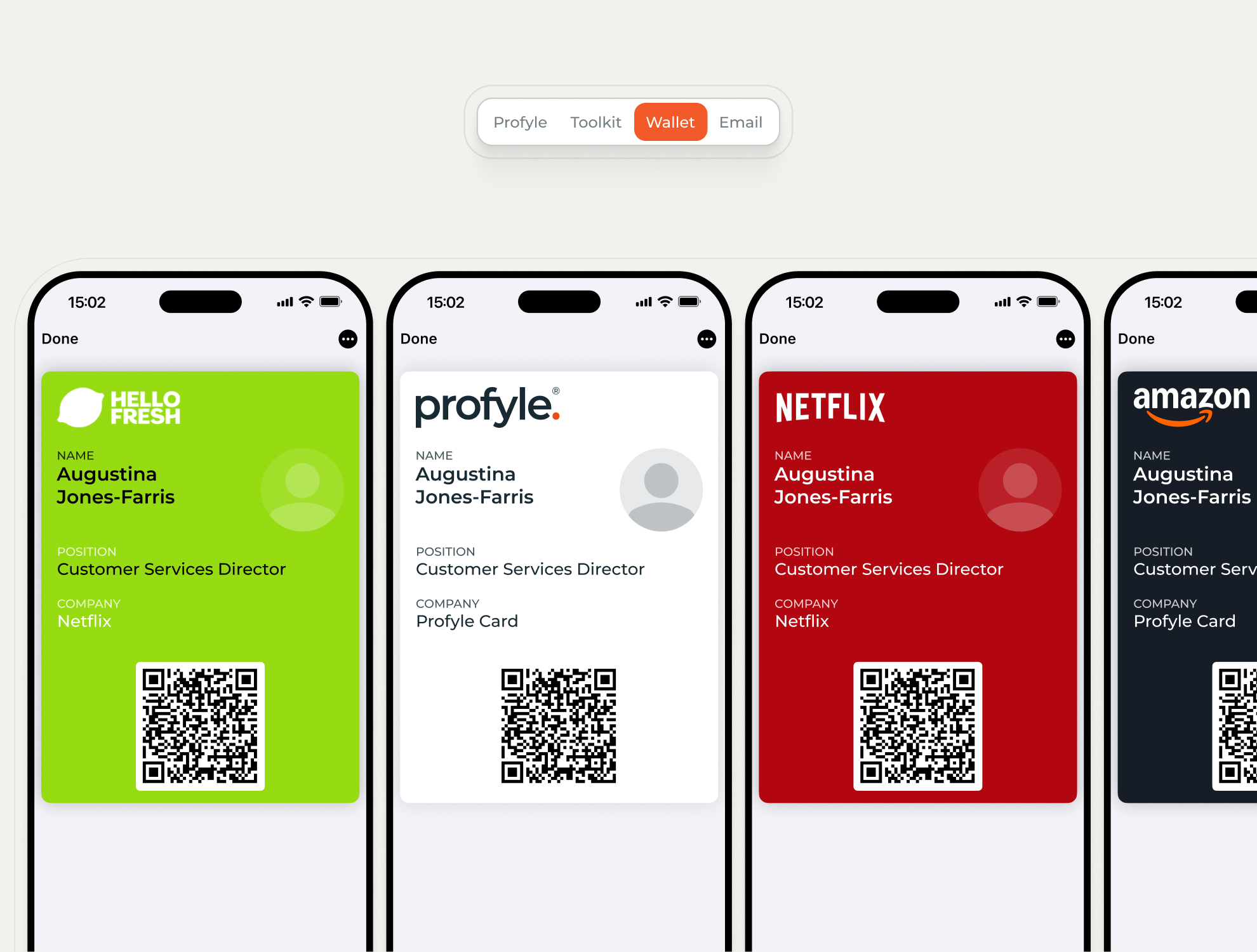
A person feels more at ease when they do not need to type long numbers or spell names. A smart card keeps things clean and smooth. It also updates in real time, so when your job, number or link changes, you do not need a new printed card. You update your smart business card once and everyone gets the right details the next time they tap.
Smart business cards also help people remember you. A face, a colour and one simple button stand out far more than a small paper card with tiny text.
Some cheaper smart business cards only open a plain website link. This can feel slow or messy. Good smart business cards open a clean profile that loads fast. They also help you choose what people do next.
Smart business cards keep growing in demand because they help people save contacts without stress. They make networking feel lighter and more natural.
If you want to start building your own smart business card with no cost at the start, you can open a free Profyle Card account here.
Once you have created your free Profyle account, here are the ten simple steps to create the business card of your dreams. Profyle counts big names among its clients, including Ralph Lauren and Curtins, but anyone can use it to create a card for themselves and their team, so follow along.
Every strong smart business card begins with one goal. Pick one action you want people to take.
Save your contact
Book a call
Message you
Visit your main link
See your work
Smart business cards work best when there is one clear action. A single focus lowers confusion and boosts clicks.
Your header is the first thing someone sees when your profile opens.
Write
your name
your role
a short line about what you help with
Keep it clean. Five to seven words work well. Smart business cards need simple text because the screen space is small.
A clear face builds trust. A photo also helps people remember where they met you. Research in memory science shows that faces stick far longer than names. Smart business cards use this to your advantage. A friendly, clean photo makes the profile feel real.
Use two to three calm colours. If you work for yourself, pick colours that match the feeling of your work. If you work for a company, match the company style.
Smart business cards act like small landing pages, so the colours guide the mood and build trust.
Your main button is the centre of your smart business card. Make it stand out.
Strong options include
Save contact
Book a call
Send message
People tend to click the biggest and clearest button. This is why good smart business cards keep the page simple and clean.
Add only the links that help people learn about you quickly.
Good add ons include
Website
Portfolio
Case study
Social links that matter for work
Avoid clutter. Too many links make people freeze. Smart business cards work best when they guide the person, not overwhelm them.
A person taps your smart business card and judges it within two seconds.
Use
short lines
clean spacing
simple icons
clear buttons
a short about section
Simple layouts hold attention longer. You want the person to feel safe, not confused.
Ask a friend to open your profile.
Watch for
long load times
messy spacing
confusing buttons
missing links
unclear text
Make changes based on surface reactions. Smart business cards improve when you fix small friction points.
Not all phones behave the same way.
Some Android phones have NFC off by default
Some older phones rely on QR codes
Some browsers open links slower
Smart business cards must feel smooth on all phones. Test the tap, test the scan and test the link.
Smart business cards change as you change.
Update your
role
phone number
links
photo
main call to action
This keeps your card fresh and more useful than any paper card ever could be. Smart business cards shine because they live and grow with you.