A business card without your Instagram handle is like a shop without a sign, people might walk by without noticing. So, to get attention, adding your Instagram address to your business card is a must. Here is why.
Instagram isn’t just for selfies and food pics. It’s a powerful tool for professionals to network and showcase their work and connect with clients. By adding your Instagram handle to your business card, you provide a direct link to your portfolio, behind-the-scenes content, and client testimonials.
But how should you present your Instagram handle on your card? Should you use the full URL, just the handle, or perhaps a QR code? And what about the Instagram logo: does it add professionalism or clutter?
We’ll answer these questions and show you how Profyle Digital Business Cards can simplify the process, making your contact information more interactive and engaging.
Ready to make your business card a gateway to your Instagram?

What is the Instagram address format?
Your Instagram address is the web link to your profile. The format is instagram.com/username, for example instagram.com/profylecard.
How to write your Instagram address: take your @handle, drop the @ symbol, and add it after instagram.com/ with no spaces. So @janedoe becomes instagram.com/janedoe.
How Do You Correctly Write an Instagram Address?
Instagram boasts over 2 billion monthly active users, making it a vital platform for professionals to showcase their work and connect with clients. Including your Instagram handle on your business card bridges the gap between offline introductions and online engagement.
Should You Use the Full URL or Just the Handle?
While both formats are acceptable, using the handle is often more concise and visually appealing. For example:
- @yourusername
This format is easily recognizable and saves space. However, if your handle is common or includes special characters, providing the full URL ensures clarity:
- instagram.com/yourusername
What Format Looks Best on a Printed Card?
A clean and professional layout enhances readability. Consider the following tips:
- Use the Instagram icon: Placing the icon next to your handle quickly informs recipients of the platform.
- Maintain consistent branding: Ensure the font and color scheme align with your overall brand identity.
- Avoid clutter: Keep the design simple to prevent overwhelming the reader.
How Profyle Digital Business Cards Simplify This
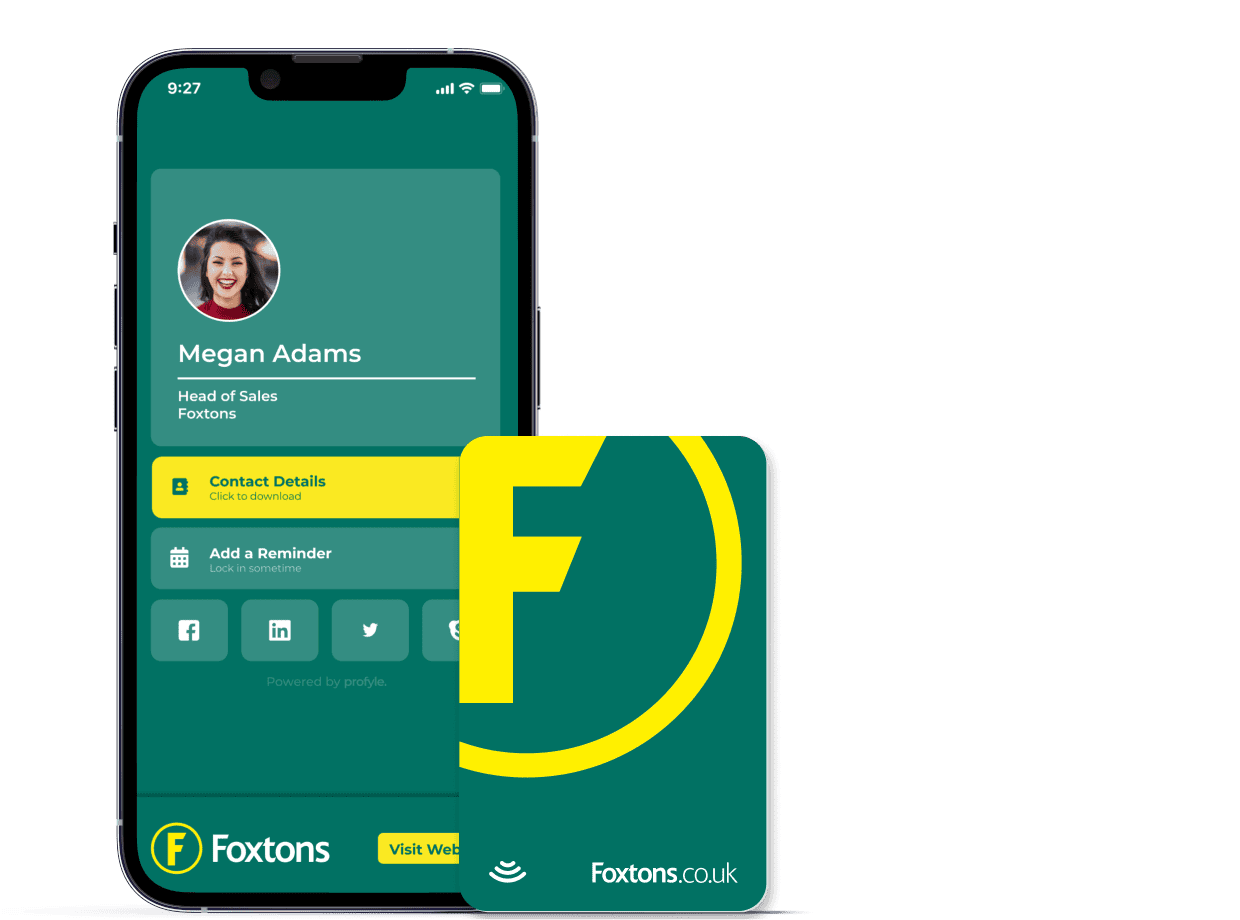
Profyle offers a seamless solution for integrating your Instagram handle into your business card. With Profyle, you can:
- Automatically link your handle: Profyle makes sure your Instagram handle directs users to your profile without errors.
- Customize your card: Tailor the design to match your brand, including the placement of social media icons.
- Update information easily: Modify your contact details in real-time without reprinting physical cards.
What Are the Common Mistakes When Adding Instagram to a Business Card?
Including your Instagram handle on your business card bridges the gap between offline introductions and online engagement. However, there are common pitfalls to avoid:
Common Mistakes to Avoid:
- Cluttered Design: Overloading your card with too much information can make it look messy and unprofessional.
- Tiny Fonts: Using fonts that are too small can make your contact details hard to read.
- Inconsistent Branding: Mismatched colours and fonts can confuse recipients and dilute your brand identity.
- Incorrect Handles: Misspelling your Instagram handle or using outdated information can lead to missed connections.
- Lack of Visual Cues: Omitting the Instagram logo or icon can make it unclear which platform your handle refers to.

How Profyle Digital Business Cards Help:
Profyle offers a streamlined solution to these issues:
- Clean Design: Profyle’s templates are designed to present your information clearly and professionally.
- Easy Updates: You can update your contact details in real-time, ensuring your information is always current.
- Integrated Social Links: Profyle allows you to add clickable Instagram icons, making it easy for recipients to connect with you online.
- Consistent Branding: Customize your digital card to match your brand’s colours and style.
By using Profyle, you can avoid common mistakes and present a polished, professional image to potential clients and contacts. Start your free 45-day trial today.