Overview
The Profyle Card HubSpot integration automatically creates Contacts and Leads within your HubSpot account when Introductions are made using any Profyle Card within your account.
The integration can be enabled by any admin within your account that also has the permissions required to enable integrations within your HubSpot account.
Installation
- Navigate to Integrations > HubSpot Settings
- Click “Authenticate HubSpot Account” and follow the on-screen instructions. You will be asked to select a HubSpot account and to accept permissions for the integration to create Contacts and Leads within your account.

After connecting your HubSpot account, you can test the integration by clicking the “Create Test Contact” button and then checking the HubSpot integration Logs (View Logs) to ensure the records were created successfully. Please contact the Profyle Card support team if you are experiencing any errors.
Creating Leads instead of Contacts and Companies
If you have the Leads module for HubSpot enabled, you can choose to have new Introductions created as Leads instead of Contacts and Companies.
Automatically populated the Legal Basis field
By default, we will populate your Legal Basis field with the HubSpot default string “Freely given consent from contact” as Contacts can only be created within Profyle when the consent checkbox has been ticked. If you use a different value (or have added a custom value) to your consent field, you can override the text string here.
Usage
Once the integration is authenticated with your HubSpot account, Contacts and Companies will automatically be created when an Introduction is made using any Profyle Card within your account. Before a Contact is created, we will see if the contact already exists in your HubSpot account (by email address) to avoid creating duplicates. If an existing contact is found, any notes of the introduction are added to the existing Contact.
Notes
When a contact record is added, a note is also added to the contact including any notes made as part of the introduction, the name and location of the event they were met at (if available) as well as any custom consents that were collected.
Assigning HubSpot owners to created Contacts and Leads
Owners can be automatically assigned to Contacts and Leads created from Profyle Card introductions, for example to automatically assign them to the Profyle Card owner, or someone else in your Business Development team.
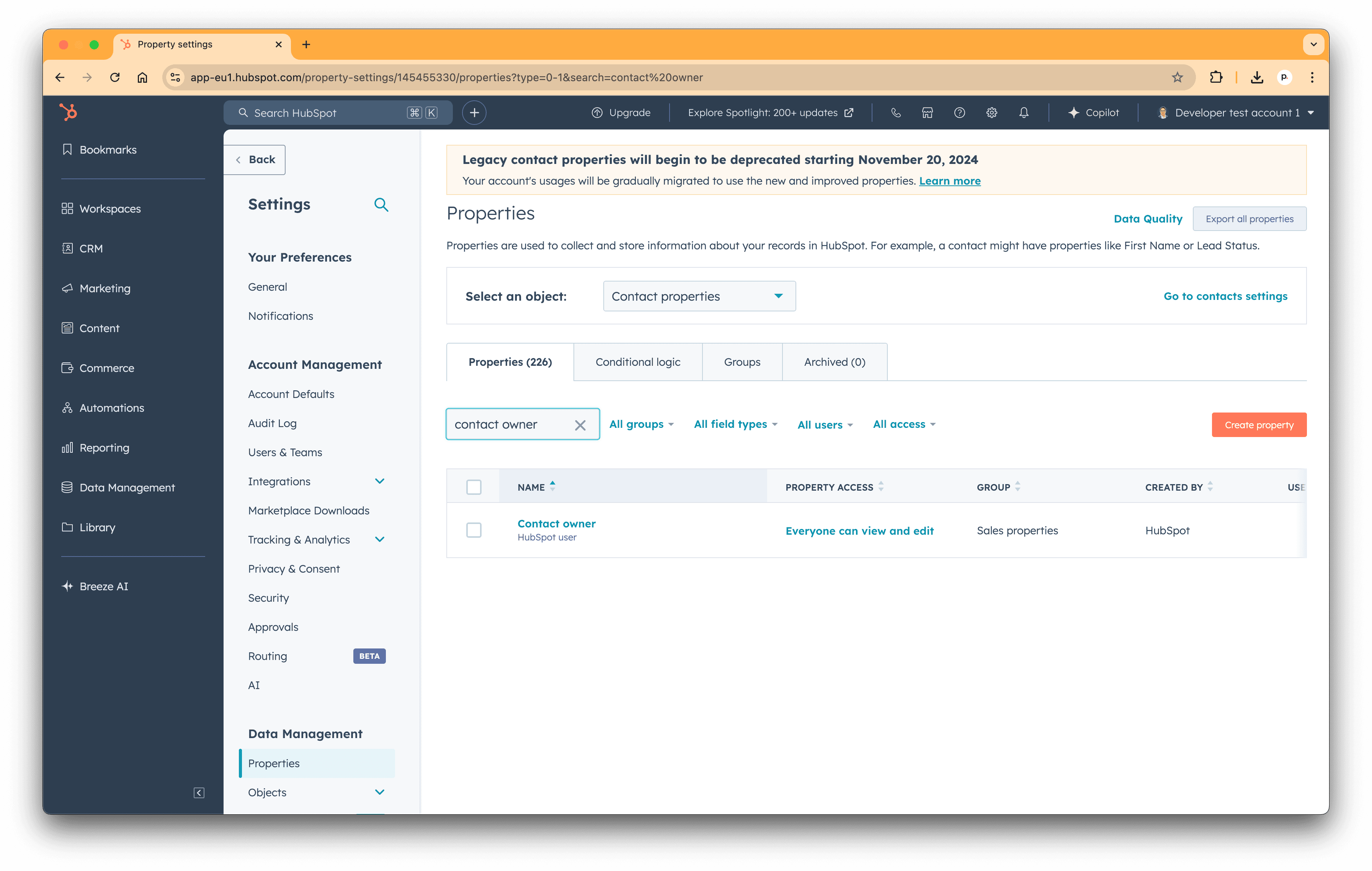
To do this, you’ll need to know the HubSpot Contact Owner ID. These can be found within your HubSpot account by:
- Navigate to Settings
- Select “Properties” from the left hand menu
- Search for “Contact Owner” in the search box
- Click on the “Contact Owner” row in the results
- Select “Field Type” from the menu on the left
- Your Owner IDs will be listed

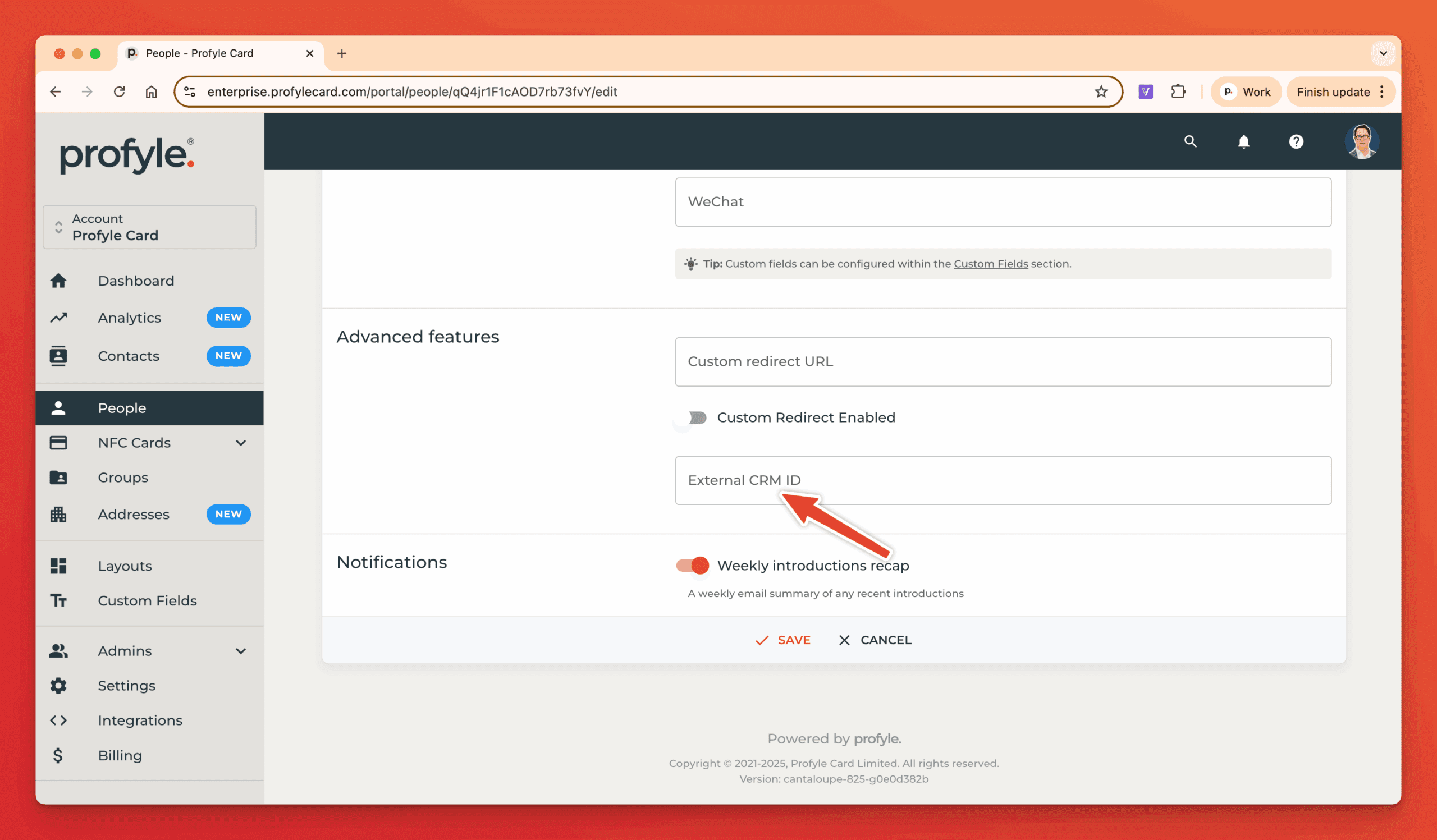
Once you know the Owner ID you’d like to associate with Introductions made by a Profyle, go to the Person details from within “People” and enter the HubSpot Contact Owner ID into the “External CRM ID” field which you can find within the “Advanced” section.